Creating a home office that is both relaxing and productive can significantly improve your work-from-home experience. Whether you have a dedicated room or a small corner in your living space, thoughtful design can make all the difference. Here, we’ll explore simple steps to help you build a workspace that enhances focus while keeping stress at bay.
Choose the Right Location
Find a Quiet Spot
Choose a part of your home that is away from high-traffic areas and distractions. A quiet corner or spare room is ideal for concentration and uninterrupted work.
Maximise Natural Light
Position your desk near a window if possible. Natural light can help improve mood and energy levels, making your work feel less tiring.
Invest in Comfortable Furniture
Ergonomic Chair and Desk
A good chair supports your back and encourages good posture. Combine this with a desk at the right height to prevent strain on your shoulders and wrists.
Adequate Desk Space
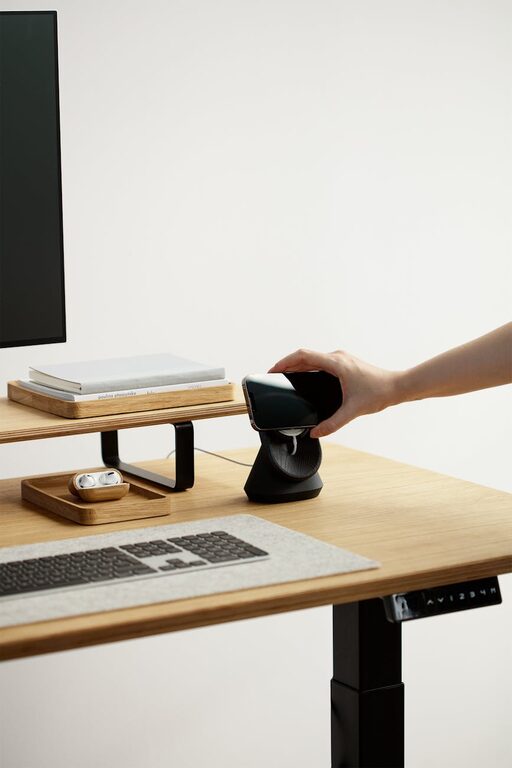
Make sure your desk has enough surface area for your computer, stationery, and essential work materials. Avoid clutter so you can think clearly.
Create an Organised Environment
Use Storage Solutions
Keep your desk tidy with drawers, shelves, or boxes for documents and supplies. Label items for easy access.
Cable Management
Untangle and hide cables using clips or cable organisers. A neat area reduces distractions and keeps your workspace safe.
Personalise Your Space
Add Plants
Greenery can increase creativity and reduce stress. Small, easy-care plants like succulents are perfect for desks.
Display Inspiring Items
Place a few personal items such as photos or artwork to make the space welcoming without overcrowding it.
Control Lighting and Temperature
Layer Your Lighting
Use a combination of ambient, task, and natural lighting. A desk lamp with adjustable brightness allows you to focus on tasks without eye strain.
Maintain Comfortable Temperature
Make sure your office is not too hot or cold. A fan, heater, or good ventilation can help maintain a pleasant environment.
Minimise Noise and Distractions
Use Noise-Cancelling Headphones
If your home tends to be noisy, headphones can help you focus by blocking out background sounds.
Set Boundaries
Communicate your work hours to family or housemates to minimise interruptions.
Incorporate Break Areas
Designate a Rest Spot
If space allows, include a comfy chair or cushion where you can take short breaks to recharge.
Practice Movement
Keep your space open enough to stretch or do simple exercises to stay active during the day.
Use Technology Wisely
Reliable Equipment
Ensure your computer, internet connection, and peripherals like printers or scanners work efficiently to prevent frustration.
Organise Digital Files
A clutter-free digital workspace complements your physical one. Use folders and regular backups to keep information accessible.
Maintain Your Workspace Daily
End-of-Day Routine
Spend a few minutes tidying your desk, organising papers, and preparing your tasks for the next day.
Clean Regularly
Dust and wipe surfaces often to keep the area fresh and inviting.
—
Setting up a home office doesn’t need to be complicated. By choosing the right location, investing in comfort, organising your space, and incorporating personal touches, you can create an environment that supports both relaxation and productivity. Remember to adapt these steps to your unique needs and preferences for the best results. Happy working!